

Dreaming of endless adventures on the open road with reliable high-speed internet? Starlink promises to revolutionize RV living by delivering blazing-fast connectivity virtually anywhere.
But before you invest thousands in this satellite internet solution, there are crucial realities every RVer needs to understand. From hidden costs and power consumption to coverage limitations and setup challenges, Starlink isn’t the plug-and-play paradise many believe it to be.
These six essential truths could save you from costly mistakes and help you make an informed decision about whether Starlink truly fits your nomadic lifestyle and budget.
1. The True Cost Of Starlink RV Internet in 2025 (Not What You Think)

Starlink advertises a simple $499 dish and $50 monthly plan. But RVers report spending $2,000 to $4,000 in the first year. Here’s the breakdown nobody talks about.
The equipment alone costs more than advertised. Yes, the standard dish is $499. But if you need the Starlink Mini for better power efficiency, that’s $599. Want the flat high-performance dish that handles weather better? That’s $2,770. And you can’t just buy used equipment – Starlink locks dishes to accounts.
Monthly plans hit harder than expected. The Roam 50GB plan at $50 per month sounds reasonable until you realize 50GB disappears fast with video calls and streaming. Most RVers upgrade to Roam Unlimited at $165 monthly. Need faster speeds during peak times? The Mobile Priority plan costs $250 per month for just 50GB of priority data, then $2 per additional GB.
But wait – there’s more. Mounting hardware adds $200 to $400 to your setup. A decent pole mount kit runs $300. Need a roof mount? Add weatherproof sealant, cable entry plates, and proper brackets. DC converters to save battery power? Another $200 to $400. Many RVers discover their battery bank can’t handle Starlink’s power draw, triggering battery upgrades costing $1,000 to $2,000.
Here’s a fresh surprise: Starting August 2025, Starlink charges $5 monthly for “Standby Mode.” This feature was free before. Want to pause service while your RV is in storage? That’ll cost you $60 per year just to keep your account inactive.
Professional installation runs $800 to $1,500 if you’re not comfortable drilling holes in your RV’s roof. Even DIY installation requires specialized tools, marine-grade sealants, and proper grounding equipment – easily another $150 in supplies.
According to Mobile Internet Resource Center’s analysis, total first-year costs range from $849 for occasional users to $3,470 for full-timers with professional installation. Here’s a realistic breakdown:
- Weekend warrior: $849 (dish + 50GB plan for 7 months)
- Part-timer: $1,659 (dish + unlimited for 7 months)
- Full-timer with DIY setup: $2,679 (dish + mounting + unlimited year)
- Full-timer with pro install: $3,470 (everything + installation)
The Starlink RV cost catches most people off guard. Between Starlink equipment cost and ongoing Starlink Roam pricing, you’re looking at a serious investment. And that’s before we talk about whether your RV can even power this thing.
2. Starlink Power Requirements: Why Most RV Solar Systems Can’t Keep Up
That “30 watts” specification Starlink mentions? Users report 80 to 150 watts during actual use. Your 100Ah battery that runs everything else? It’ll die in under 24 hours powering Starlink alone.
Normal operation pulls 30 to 45 watts when everything’s perfect – clear sky, moderate temperature, no wind. But “perfect” rarely happens in RV life. Hit some clouds? Power jumps to 60 watts. Light rain? 80 watts. Heavy weather or obstruction recovery sends consumption soaring to 150 watts. The dish literally melts snow off itself, which sounds great until you realize it’s eating your battery alive.
Ram Promaster Forum users tracked real numbers. A 100Ah lithium battery provides only 20 to 24 hours of Starlink runtime. That’s without running anything else – no lights, no water pump, no refrigerator on battery. One user noted: “I thought my 200Ah setup was overkill. Starlink proved me wrong on day two of boondocking.”
XTAR’s calculations paint a clearer picture. A 200Ah battery gives you 40 to 50 hours with the standard dish under ideal conditions. But you need 300Ah minimum for reliable multi-day operation when you factor in weather, other power needs, and battery health margins. That’s $2,000 to $3,000 in lithium batteries alone.
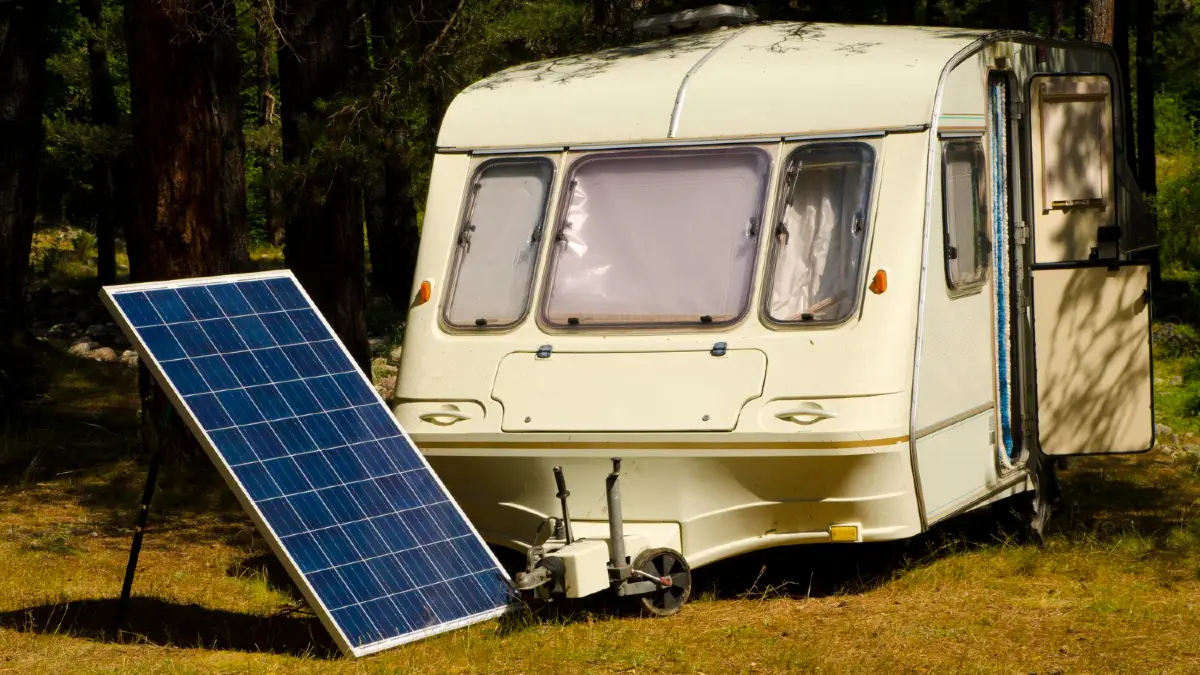
Solar requirements shock people even more. You need 400+ watts of panels dedicated to Starlink and battery charging. Not 400 watts total for your RV – 400 watts just to keep Starlink running and batteries topped off. On cloudy days, even 600 watts might not cut it.
The Starlink Mini changes the math significantly. It pulls just 25 to 40 watts – roughly half the standard dish consumption. Users report running the Mini for 48+ hours on a 100Ah battery. For boondockers, that extra $100 for the Mini pays for itself in avoided battery upgrades.
DC conversion makes a huge difference but costs extra. Running Starlink through your inverter wastes 20 to 30 percent of your power. DC converters bypass the inverter, feeding Starlink directly from your batteries. This $200 to $400 upgrade extends runtime by several hours daily.
Here’s what actually works for Starlink power consumption RV setups: 300Ah lithium batteries, 400 to 600 watts solar, DC conversion, and strategic usage during peak sun hours. Without this setup, your boondocking with Starlink dreams hit reality fast.
Most RVers discover their Starlink battery requirements the hard way – dead batteries on night two of a weekend trip. Plan for double the power system you think you need, or stick to campgrounds with electric hookups.
3. Why Trees Make Starlink Unusable (And What RVers Actually Do About It)
Unlike cellular that just gets slower, Starlink completely dies with tree cover. Not weak signal. Not slow speeds. Dead. Nothing. Zero connection.
This isn’t about a few branches. Starlink needs a clear view of the sky in a cone shape above your dish. One tree in that zone? Connection drops every few seconds. Two trees? Forget it. Dense forest? You might as well pack the dish away.
Our Campfire Unplugged tested this across 20 locations. Their success rate? 90 percent in open areas. But in Iowa and Virginia forests, complete failure. They wrote: “We tried everything – different positions, waiting for satellite passes, even climbing on the roof. Nothing worked under heavy tree cover.”
The Vantastic Life put it bluntly: “Dense forests equal no connection at all. We learned this the expensive way in Oregon.”
So what do RVers actually do? First, they buy 75-foot extension cables. Park your RV in the shade but put the dish in a clearing. Sounds simple until you’re dragging cable through wet grass every morning and coiling it every night. Plus, longer cables mean more signal loss and potential connection issues.
Telescoping poles become essential equipment. A 20 to 40-foot pole gets your dish above most tree interference. Harbor Freight’s flag poles work, but they wobble in wind. Serious users invest in heavy-duty poles with guy wires. Now you’re looking at 30 minutes of setup and breakdown each time you move.
Dual mount strategies help but double your work. Install a permanent roof mount for easy camping. Keep a portable tripod for tree-heavy sites. Switch between them based on location. It works, but you’re essentially buying two mounting systems and doing twice the installation.
The geography matters more than you’d think. Western deserts and plains? Starlink https://www.starlink.com works brilliantly. Eastern forests? Prepare for frustration. Pacific Northwest old-growth areas? Nearly impossible. One user mapped their cross-country trip: “West of Denver – perfect. East of Missouri – constant battles with trees.”
Some RVers get creative with Starlink mounting RV solutions. Ladder mounts. Slide-out brackets. Even trailer hitch extensions. But physics wins every time – if trees block the sky, no mount height or angle fixes it.
The Starlink app’s obstruction checker helps but often lies. It shows “clear” when trees still cause dropouts. Trust real-world testing over the app’s optimistic view.
Starlink obstruction remains the biggest complaint among RV users. Starlink trees problems have no perfect solution. You either avoid forests, spend hours setting up elaborate workarounds, or accept that Starlink won’t work everywhere. Most full-timers carry backup internet for this exact reason.
4. Real Starlink RV Speeds: From 20 to 200 Mbps Depending on These Factors
Starlink delivers anywhere from 20 to 200 Mbps. That’s a 10x difference that nobody mentions in the marketing. Your actual speed depends on factors most RVers never consider.
Best case scenario: 200+ Mbps downloads happen in perfect conditions. Clear sky, low network usage, minimal interference. Dishy Central’s 8-month test hit these peaks regularly – at 3 AM in remote areas. During normal hours? Different story.
Typical real-world speeds range from 50 to 100 Mbps for downloads. That’s still impressive for satellite internet. Upload speeds stick around 10 to 20 Mbps consistently. Latency hovers between 25 to 50 milliseconds – good enough for video calls and gaming.
But here’s the catch: Roam users sit at the network’s lowest priority tier. When locals use their residential Starlink service, they get priority. Business users get priority. RV users get whatever bandwidth remains. During peak hours (7 PM to 11 PM), speeds can drop to 20 to 30 Mbps in congested areas.
Popular RV destinations suffer most. One user in West Yellowstone reported: “Every RV had a Starlink dish. Evening speeds dropped to 15 Mbps. Still usable, but not the 100+ I expected.” Another in Quartzsite during January gathering: “So many RVs that Starlink became fancy dialup after dinner.”
Weather impacts Starlink performance more than advertised. Light rain? Expect 20 percent speed reduction. Heavy rain? 40 percent drop. Snow actively falling? You might lose connection entirely until the dish heats up and melts it off. Users report: “Some slowdowns during storms, but nothing that stops us from working.”
Compare this to traditional satellite options. HughesNet maxes out at 25 Mbps with 600+ millisecond latency. Viasat offers up to 100 Mbps but with severe data caps and similar latency issues. Starlink runs 10 to 50 times faster than these older services, even on its worst day.
The Starlink RV speed test results vary by time and location. Morning speeds often double evening speeds. Weekdays beat weekends. Remote locations outperform RV parks near cities. Upload speeds remain the limiting factor for content creators. That 10 to 15 Mbps upload means hours to upload video content that would take minutes on fiber.
Dishy Central’s long-term data shows patterns: Average 100 Mbps overall, peaks above 200 Mbps in perfect conditions, lows around 20 Mbps during network congestion. They noted: “Still revolutionary compared to our previous RV internet options.”
For Starlink vs cellular performance, context matters. Starlink wins in remote areas where cellular doesn’t exist. But in towns? Cellular often delivers better speeds with less hassle.
5. When T-Mobile or Verizon Beats Starlink: An Honest Comparison for RVers

Here’s what Starlink doesn’t advertise: T-Mobile’s Away plan often delivers faster speeds at similar prices with 90 percent less power consumption. And it works under trees.
T-Mobile Away costs $160 monthly for unlimited data. Real users report 150 to 300 Mbps downloads in coverage areas. The router? Free with the plan. Setup time? Five minutes. Power consumption? Just 5 to 10 watts – your phone charger uses more.
Verizon’s plans run higher but offer better coverage in rural areas. AT&T’s RV plans work well in the South and Midwest. All cellular options share one huge advantage: they work in forests. Park under trees, inside canyons, during storms – cellular keeps working when Starlink dies.
The coverage map tells the real story. Powerful Signal’s analysis shows cellular provides better speeds in 70 percent of typical RV destinations. State parks near cities? Cellular wins. RV resorts? Cellular wins. Walmart parking lots? Cellular dominates. Starlink only beats cellular in truly remote locations – BLM land, national forests, remote boondocking spots.
Power consumption differences shock RV solar users. Cellular routers sip 5 to 10 watts continuously. Starlink gulps 30 to 80 watts, spiking to 150 watts. Over 24 hours, cellular uses 240 watt-hours. Starlink uses 1,200 to 1,900 watt-hours. Your battery bank lasts 5 to 8 times longer on cellular.
But cellular has limits. Data caps still exist on some plans. Network congestion in popular areas can slow speeds. Dead zones remain common in Western states. And “unlimited” often means throttled after 50GB on hotspot devices.
Smart RVers use both. The dual-path strategy works like this: Cellular for populated areas where it’s faster and more efficient. Starlink for remote camping where cellular dies. Switch between them based on location. Total monthly cost runs $200 to $300, but you get coverage everywhere.
Cost analysis by travel style reveals clear winners:
- Weekend warriors in state parks: Cellular only ($50 to $80 monthly)
- Full-timers near cities: Cellular primary, Starlink backup
- Boondockers in remote areas: Starlink essential
- Snowbirds in RV parks: Cellular handles everything
For Starlink vs cellular RV decisions, ask yourself: Where do you actually camp? One user tracked their sites for a year: “We used cellular 80 percent of the time. But that 20 percent in remote areas? Starlink saved our remote work jobs.”
T-Mobile RV internet and similar cellular options aren’t perfect. But for many RVers, they deliver better speeds, lower costs, and simpler setup than Starlink. The best RV internet solution might not involve satellites at all.
6. Why 90% of RV Users Say Starlink Changed Everything

After all these drawbacks – the cost, power hunger, tree problems – 90 percent of Starlink RV users would buy it again. Their reasons make sense once you hear them.
Remote work becomes truly possible anywhere. Before Starlink, “working from the road” meant staying near cities or suffering with campground WiFi. Now? Full-time RVers run Zoom calls from Utah’s backcountry. Developers push code from Alaska’s wilderness. Teachers conduct online classes from New Mexico’s desert.
Nanci Dixon, travel writer, puts it simply: “Game-changer for us. I no longer need to rely on miserable, unsecured campground Wi-Fi.” After six months of use, she discovered her home internet measured “half the speed of what our Starlink delivered” from remote locations.
Video calling and streaming work like home internet. Not buffering. Not pixelated. Actual high-quality video that lets grandparents see grandkids clearly. Couples watch Netflix together in places with no cell towers for 50 miles. Kids attend virtual school from national forests.
In-motion capability up to 100 MPH changes travel days. Passengers work while driving. Kids stream shows during long hauls. The whole RV stays connected between destinations. Changing Lanes RV reported: “100+ Mbps while driving 65 mph through nowhere Nevada. Incredible.”
Harvest Hosts members found unexpected benefits: “We can now accept last-minute bookings from anywhere. Check weather radar in real-time. Even process payments in locations with zero cell service.”
The coverage keeps expanding rapidly. With 7,000+ satellites now active and more launching monthly, dead zones shrink weekly. Places with no coverage six months ago work perfectly today. The network improves constantly without users doing anything.
Future upgrades promise even more. The new Performance dish hints at gigabit speeds coming soon. Direct-to-cell partnerships with T-Mobile mean emergency backup when satellites can’t connect. Next-generation satellites will reduce power consumption and improve tree penetration.
Full-timers tell similar stories. “Finally able to camp on BLM land without losing income.” “Took calls from Glacier’s backcountry that would’ve been impossible before.” “Stayed three weeks in a Tennessee forest working normally.”
The freedom changes how RVers travel. No more planning routes around cell towers. No more paying for inferior RV park spots just for WiFi. No more driving to town for internet. Camp where you want, not where connectivity forces you.
One Starlink RV review summed it perfectly: “It’s not perfect. It’s expensive. It drains batteries. Trees block it. And it’s still the best thing to happen to full-time RV internet since cellular hotspots.”
For remote work RV lifestyles, Starlink enables possibilities that didn’t exist before. That’s why users tolerate the downsides. When you need internet everywhere, Starlink delivers what nothing else can – yet.